If a course has been published, you cannot unpublish the course. However there are 2 alternatives.
First is to REMOVE the course from sale across all the platform, or else you can also DELETE the course.
Note : If you have learners enrolled in a particular course you want to delete, and you dont want the learners to access the course after deletion of the course, first remove the learner from the course and then proceed to delete.
To DELETE your course on Seekhly, follow these steps:
1. Login to your Seekhly Dashboard.
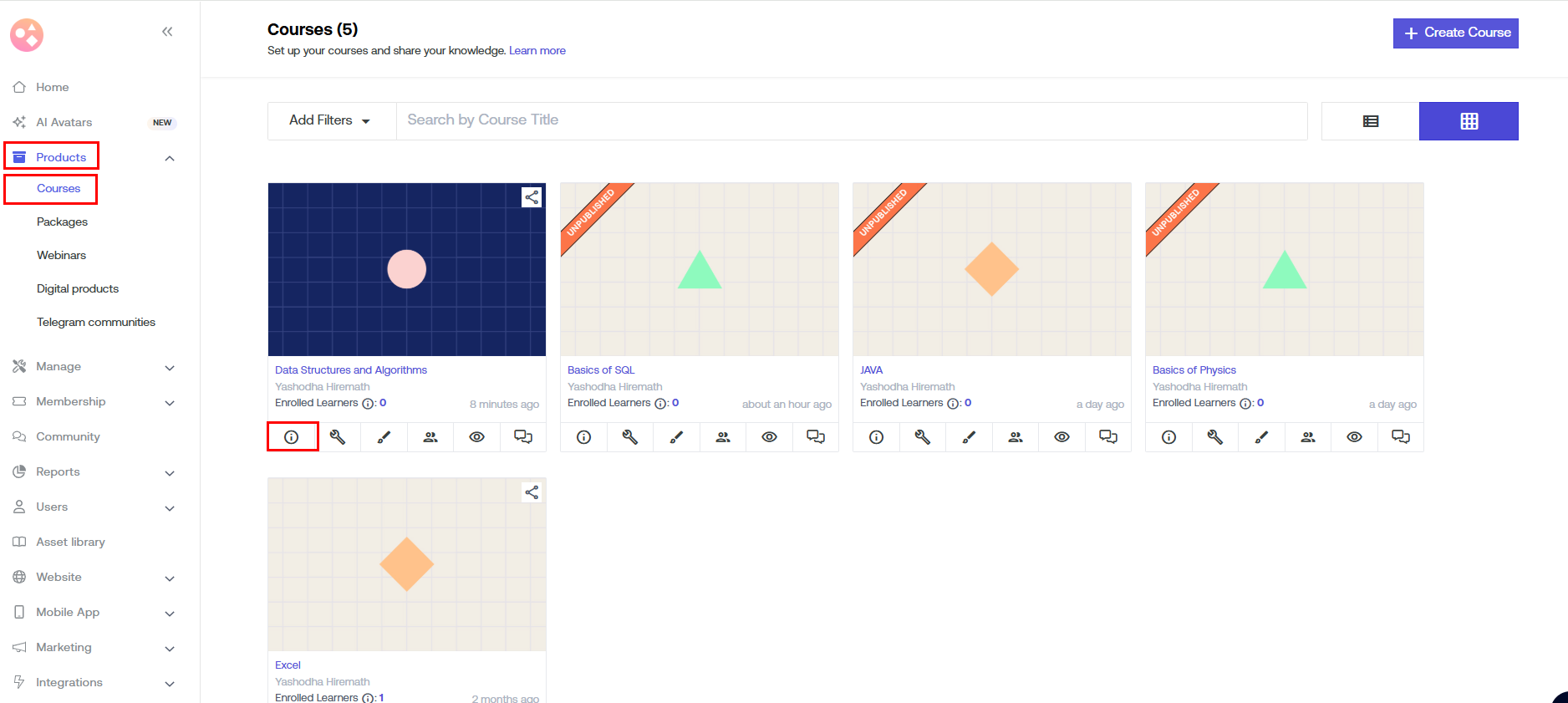
2. Navigate to Products > Courses. Click on Details icon.
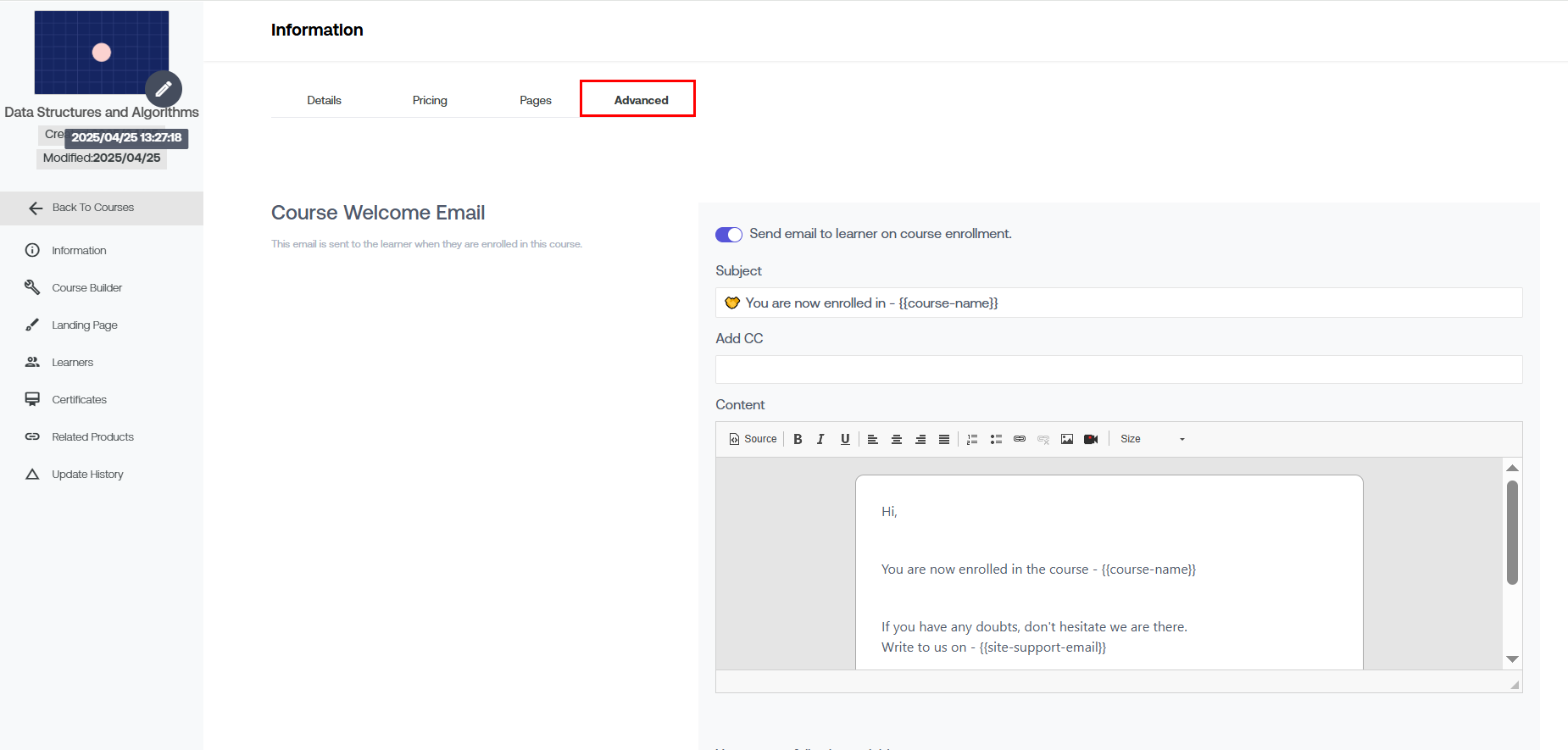
3. Click on Information > Advanced.
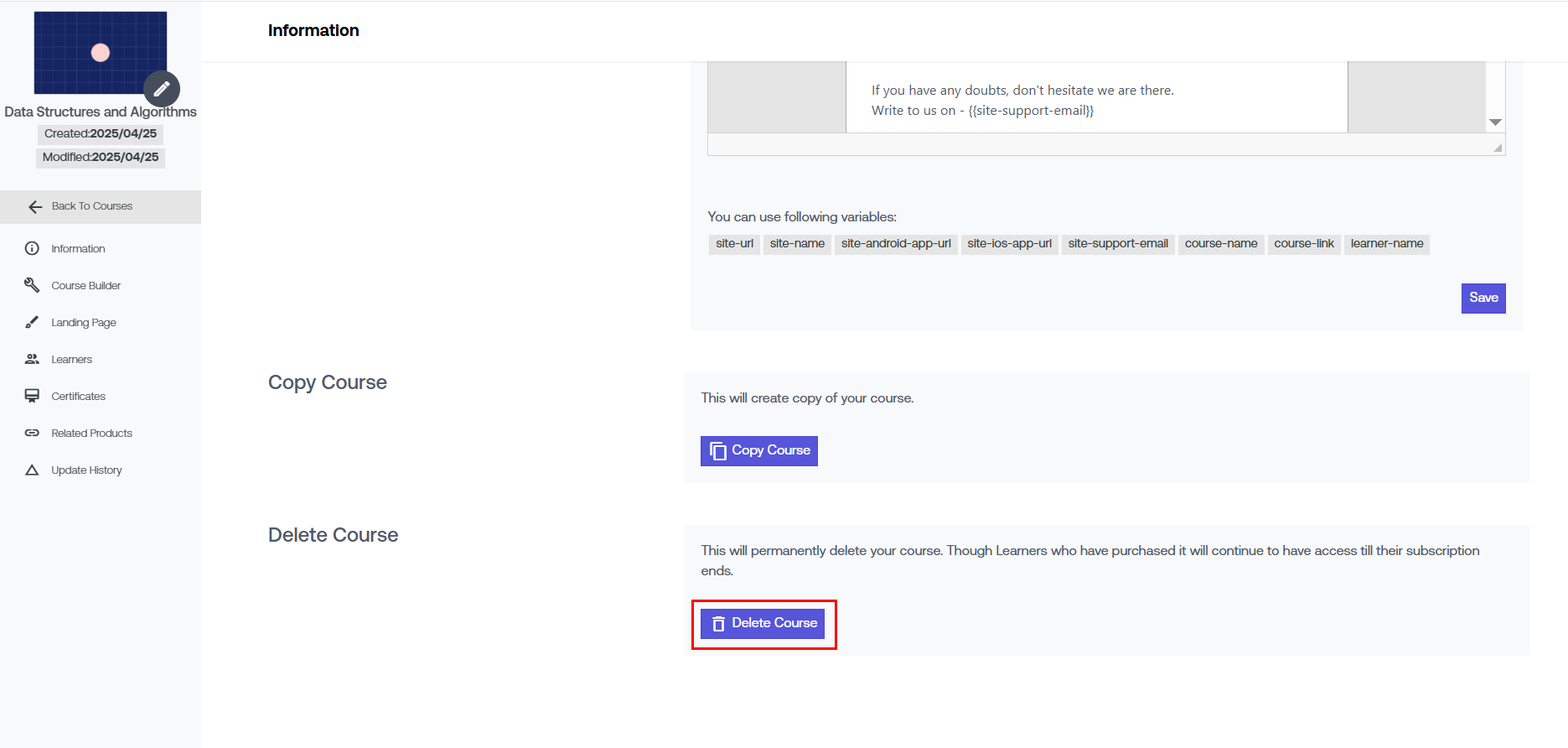
4. Scroll down and you will find the "Delete Course" Option
To REMOVE your course on Seekhly, follow these steps:
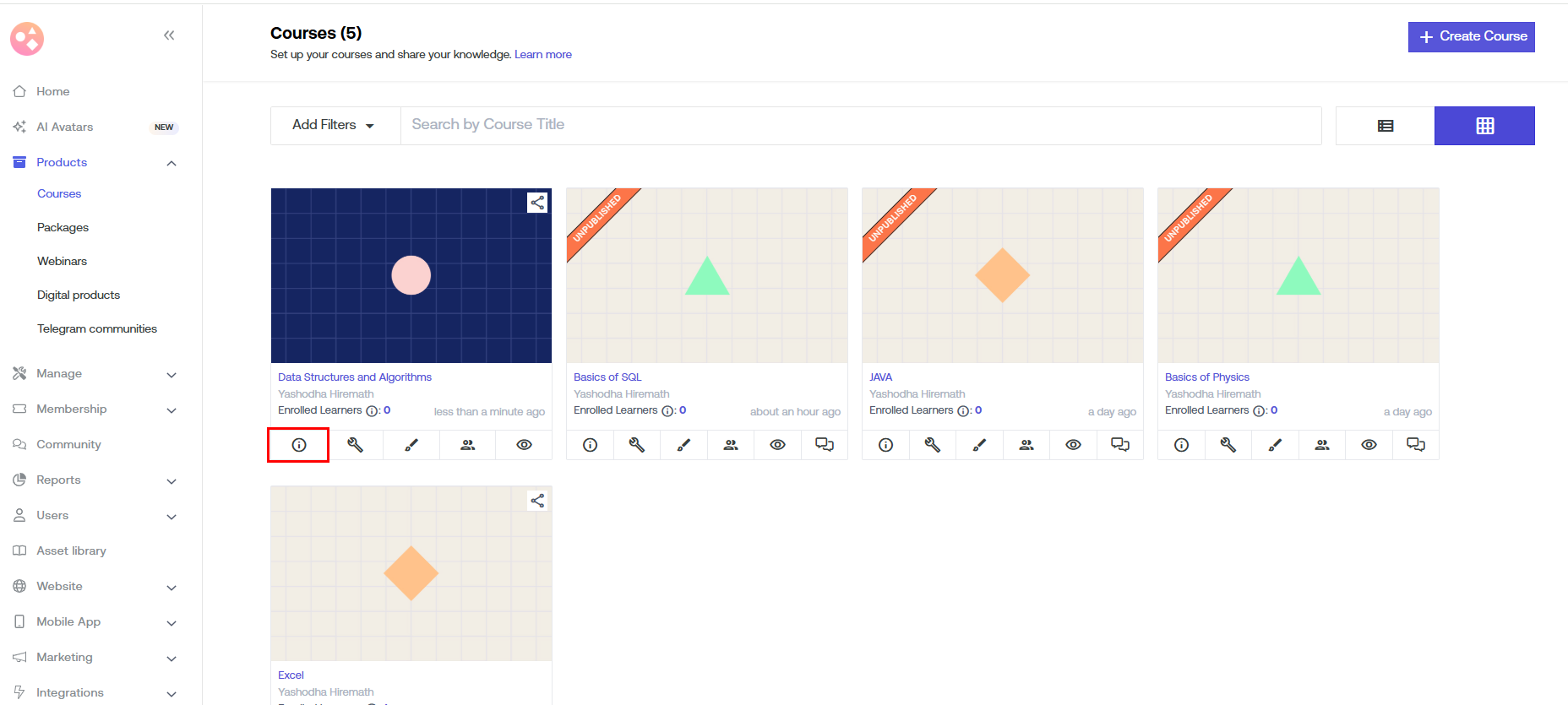
1. Go to Products > Courses. Then click on the "Details" of the course you want to remove from courses.
2. Go to "Pricing" , and from the "List course for sale" untick all the options.
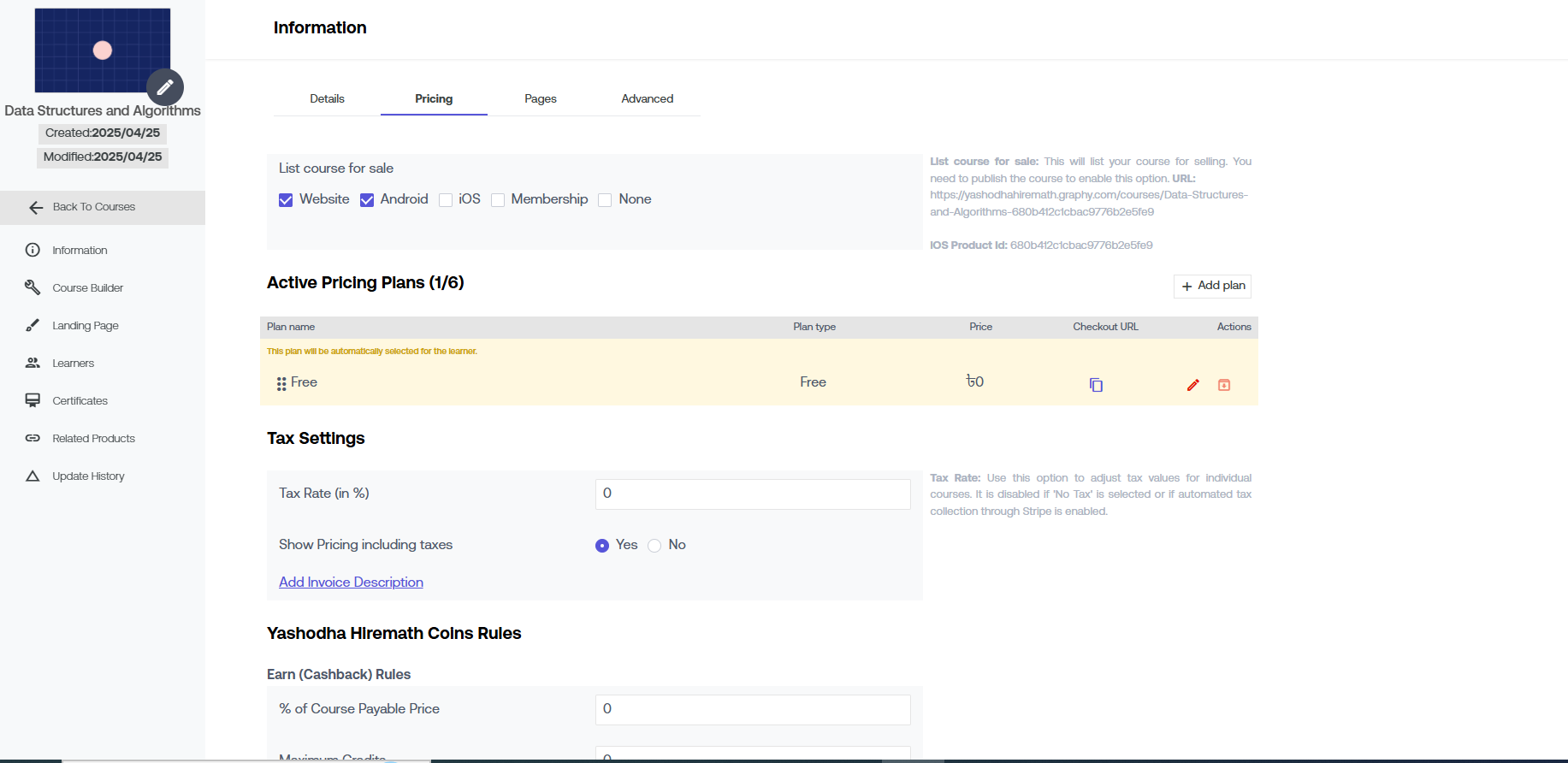
Now the Course is not available for sale on any platform.
By following these steps, you can successfully unpublish your course on Seekhly. If you encounter any issues, you can reach out to Seekhly’s support team at care@seekhly.com for assistance.
Was this article helpful?
That’s Great!
Thank you for your feedback
Sorry! We couldn't be helpful
Thank you for your feedback
Feedback sent
We appreciate your effort and will try to fix the article
